-
Graphs and Pathfinding
- Graphs
- Pathfinding
- Javascript
- BFS
- Breadth-First Search
- GBFS
- Greedy Best-First Search
- Dijkstra
- A*
- Astar
- algorithms
Pathfinding is a classic problem. It typically involves finding the shortest or cheapest path between two points. There are many algorithms to solve this problem, most of which are based on graphs with various modifications. Some algorithms are more effective than others, depending on the situation. Let's go through some of the most popular ones and discuss which algorithm is more effective in which scenario. We'll look at several commonly used algorithms: BFS, GBFS, Dijkstra, and A*.
-

Past and future of HTML Canvas. A brief overview of 2D, WebGL, and WebGPU
What is Canvas?
Canvas is an HTML element designed for drawing using JavaScript. It acts as a container for drawing. Like other HTML elements, the Canvas has its own tag and is embedded on the page in the following way:
<canvas id="canvas">Canvas is not supported by your browser</canvas>
All further operations with Canvas are done using JavaScript. First, we need to create a Canvas object:
const canvas = document.getElementById('canvas');Then define the Context:
const context = canvas.getContext('2d');Each Canvas can have only one Context. Multiple calls of getContext for the same Canvas will return a reference to the same Context.
-
JavaScript Canvas Sprite Animation
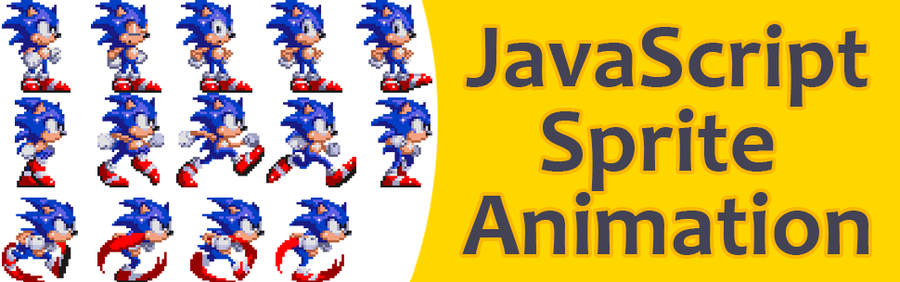
Sprite sheets have been used in game development for many years. In web development it allows you to reduce:
- a number of HTTP requests for downloading many separate images,
- webserver load as a result of fewer requests,
- download time as a combined sprite sheet is smaller than the individual files.
I want to share the approach that I used in my games written with canvas and javascript. I think this is a reusable approach for animating different objects on a canvas.
To demonstrate it, I compiled a Sonic sprite sheet from the "Sonic the Hedgehog 3" game.